Access your CELUS usage data in BI tools with CELUS Data Hub
Data Hub gives you full analytical control without leaving the CELUS ecosystem.
Available as an add-on to active CELUS subscriptions.

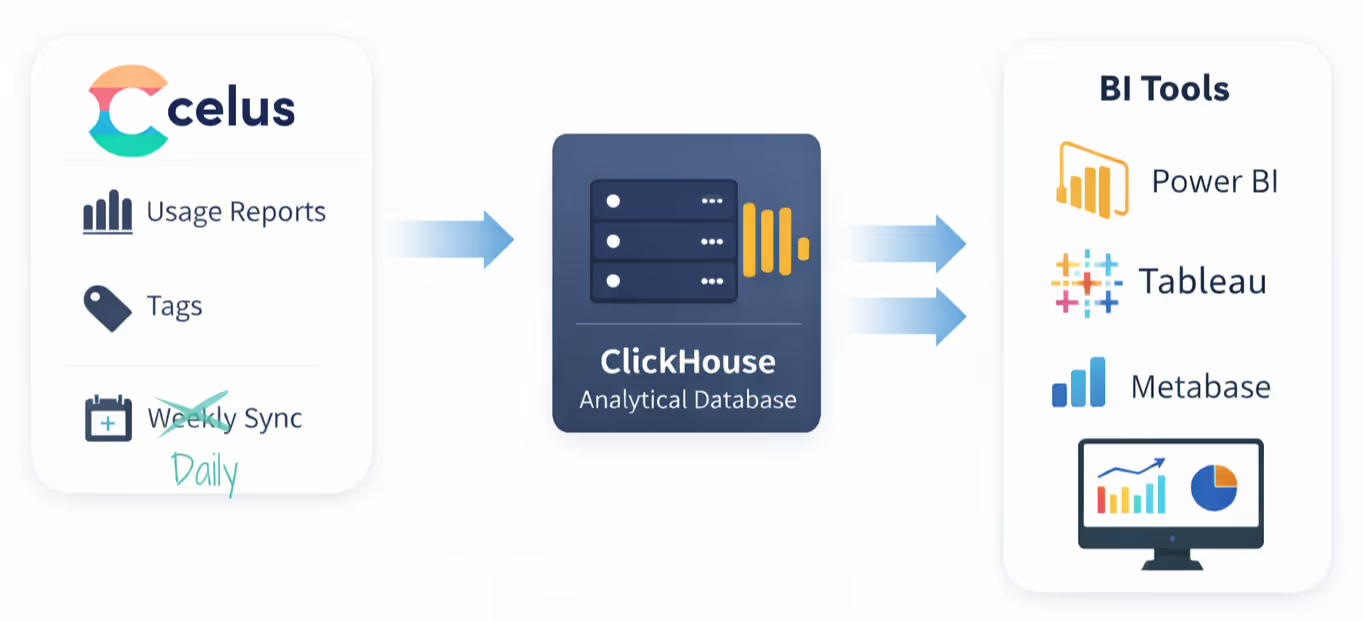
It exports your usage data into a dedicated analytical database running on CELUS infrastructure (Clickhouse). The database is separate from your main CELUS account and provides secure access credentials for BI tools and SQL clients. All your usage data and tag information is synchronized with the Data Hub on a daily basis with the option of immediate manual synchronization.
For exploration and testing, it offers a simple web interface where you can explore the database structure and run queries on your data.
For example, if you are harvesting TR, DR and PR reports, you will have three tables named TR, DR and PR.
COUNTER 5.1 reports have their own tables.
To make the transition between COUNTER R5 and R5.1 seamless, we also provide merged tables for TR, DR, PR and IR_M1 reports, where data are merged on a month-by-month basis. Data from R5.1 are used preferentially with fallback to R5 when R5.1 data are not available.
Non-COUNTER reports are exported as well, each as a separate table.
Tags are exported separately into tables title_tags and platform_tags. These tables may be joined together with the report tables to get usage by tags.

.avif)
Why it matters:
Why it matters:
Supports evidence-based collection development and renewal decisions.
.avif)
.avif)
Why it matters:
At Coventry University, COUNTER data are used almost daily - for measuring collection usage, evaluating renewals, considering new purchases, and assessing the impact of library services on the student experience.

Working with COUNTER tabular reports in Power BI required significant manual effort. Even with report aggregators like JUSP, collecting and preparing datasets at scale was time-consuming and inefficient.
Importing hundreds of tabular reports meant:
Data Hub changed that completely.
For Coventry, the ability to query the ClickHouse analytical database and retrieve data for all platforms in a single transaction was described as transformational.
Instead of importing hundreds of tabular reports:
"A few SQL queries will sort and pull the data needed."
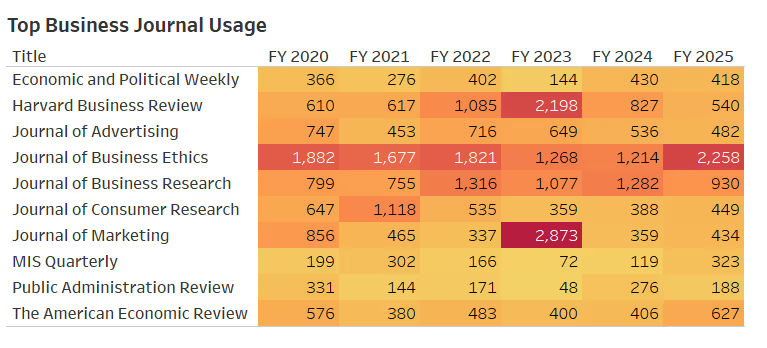
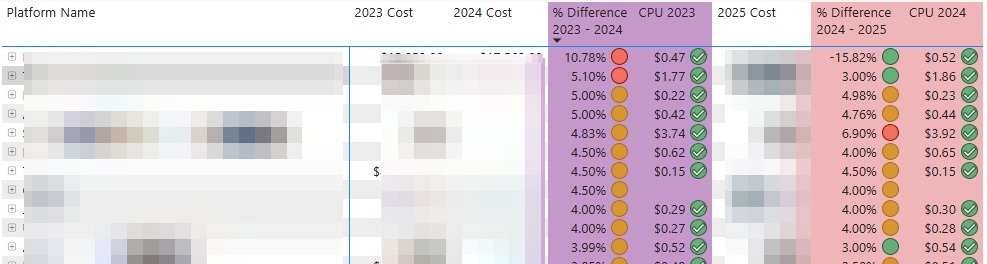
The data now flows into Power BI:

.jpg)
Transparent, affordable pricing that also supports CELUS development and maintenance. Your annual price depends on the number of publisher platforms you manage (COUNTER and non-COUNTER).