Analytics
Are you having trouble with the ACRL IPEDS annual survey? CELUS can calculate everything you need for you!
Watch our video guide:
What do you need to do to make it work?
1. First of all, CELUS must have access to the usage data for your requested time period. Ensure you have completed one of the following:
Tip: You can easily verify your current data status - Learn more about how to check the data coverage in CELUS.
With your data prepared, the fun can start.
2. Choose the desired date range in the top navigation bar.
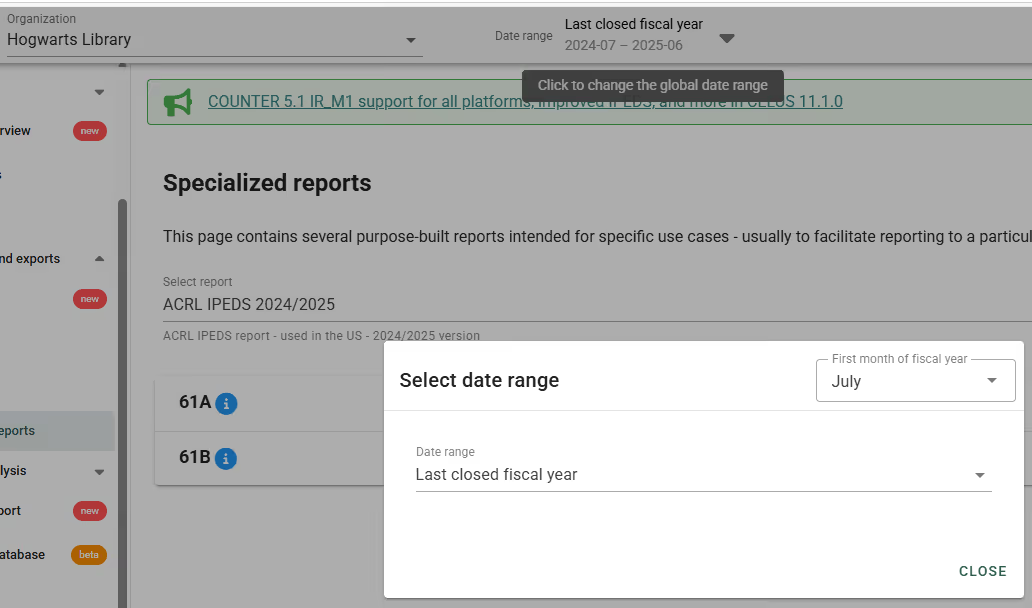
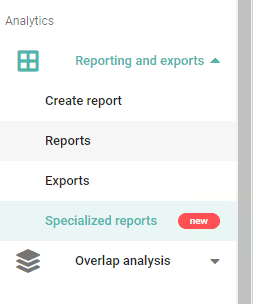
3. In the Analytics part of the left sidebar menu, click on "Specialized reports".
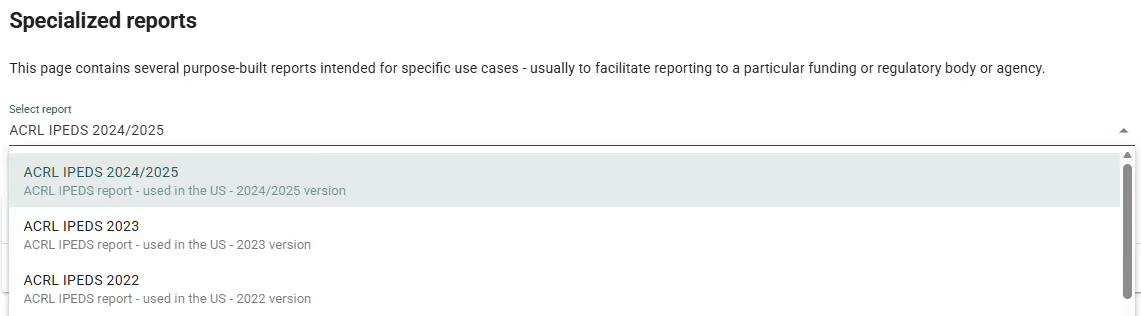
4. From the dropdown menu, choose ACRL IPEDS 2024/2025 for the fiscal year 2024/2025.
5. Click on the "RUN REPORT" button.
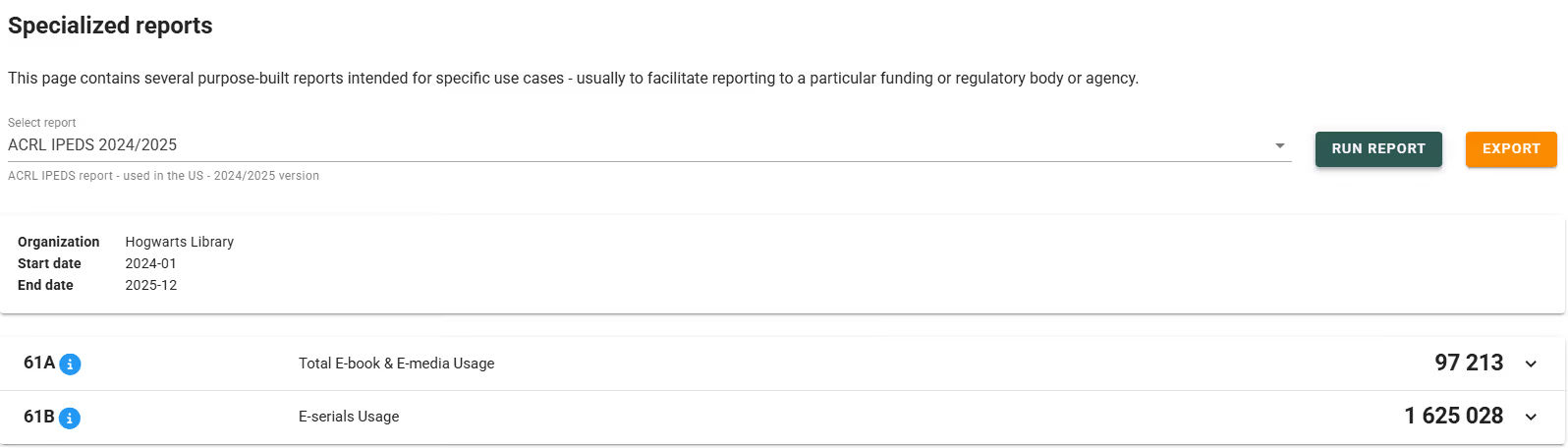
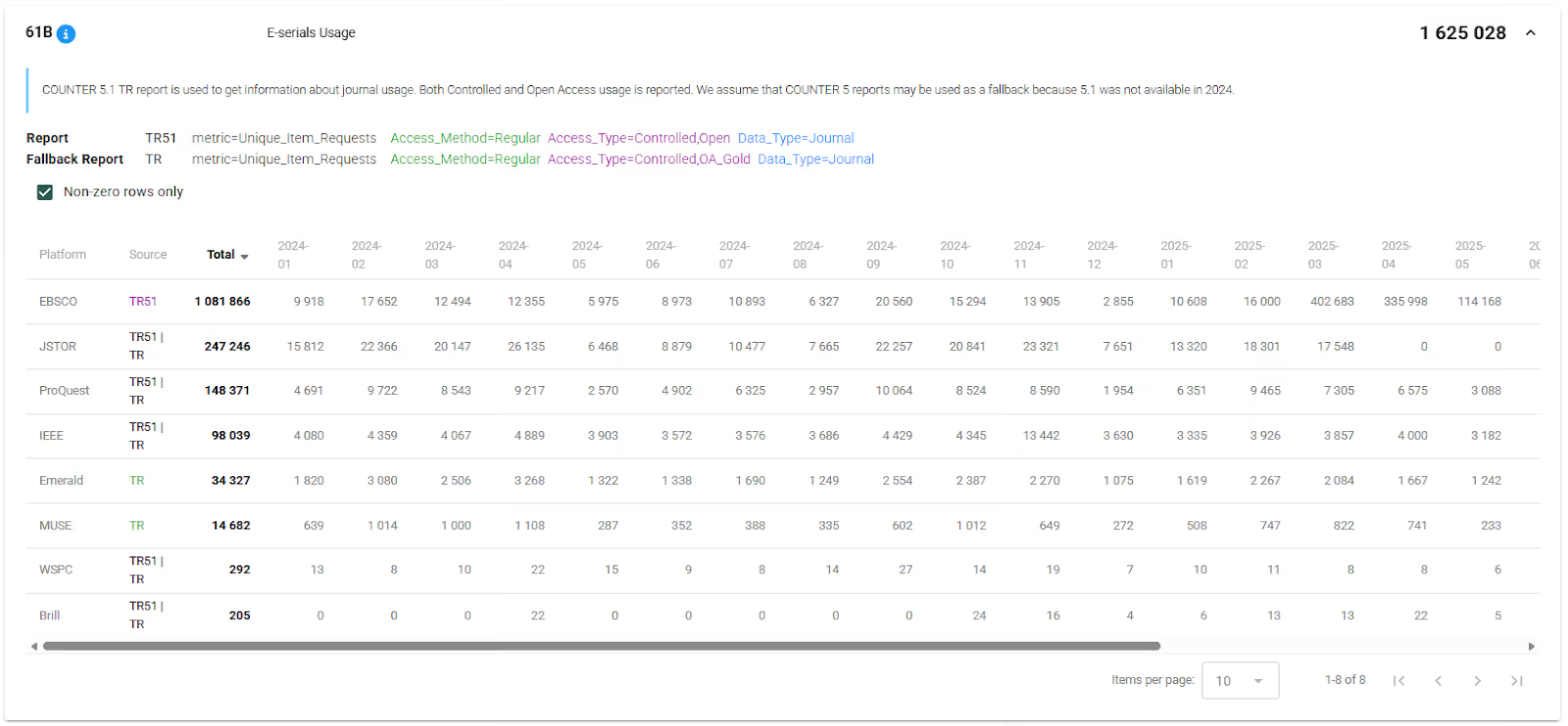
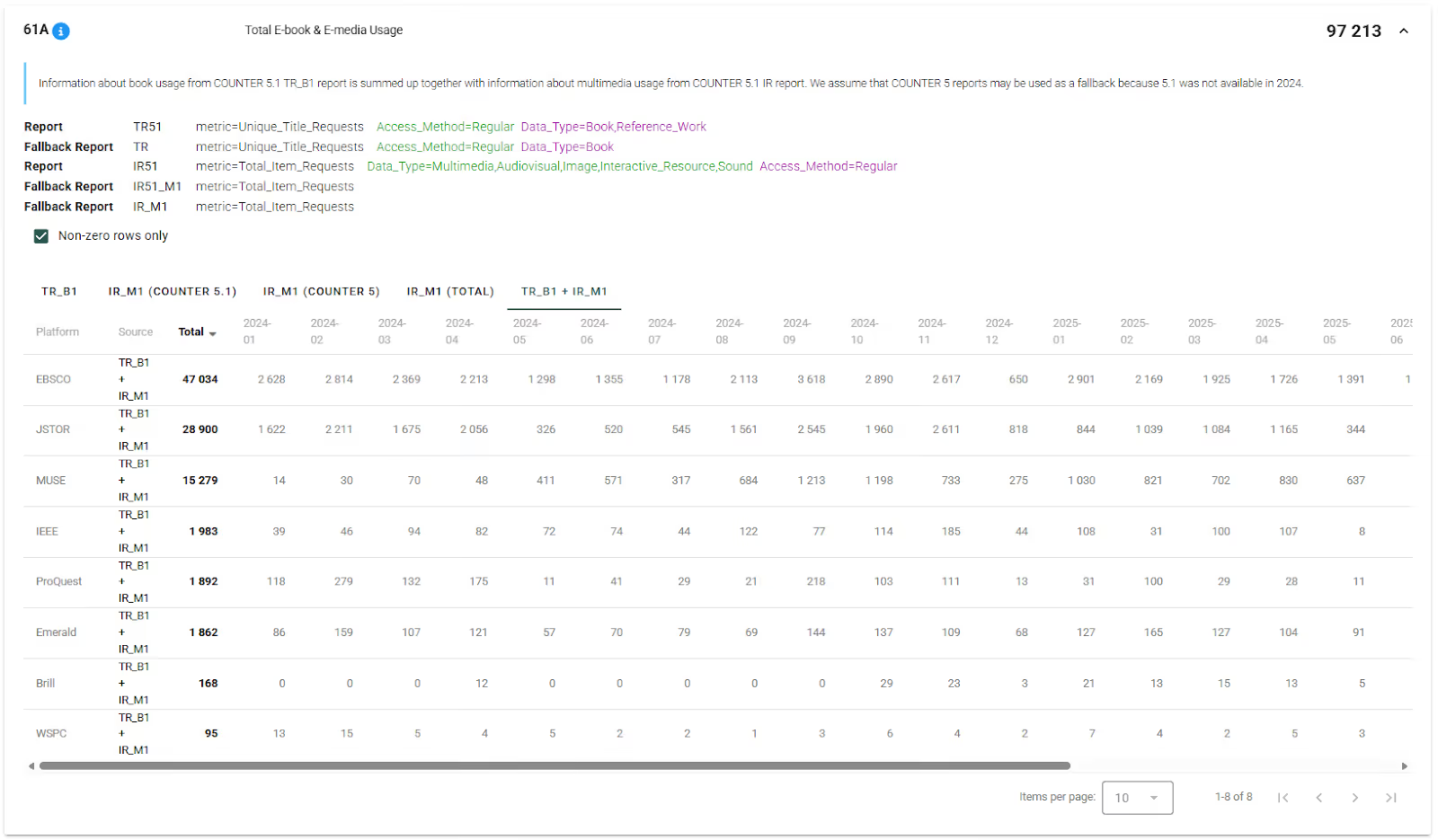
6. Great news! CELUS has just calculated the values for questions 61A and 61B. You'll see the calculated values in bold on the right side. Additionally, you can click on each individual line to view the usage per platform in time.
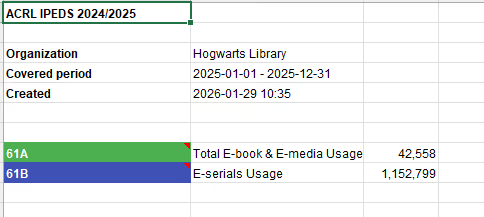
7. You can export the calculation details to an Excel file by clicking on the EXPORT button.

8. If you need to add usage for non-COUNTER platforms, it is not automatically included in the IPEDS report generated by CELUS due to a lack of specific information like data types (books, multimedia, e-serials). However, there is prepared space to add this information manually in the exported file.
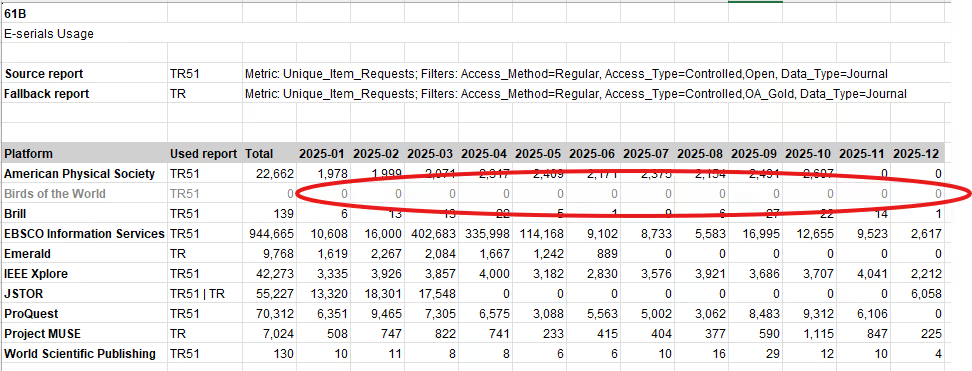
Choose the most proximate sheet in dependence on the nature of the usage:
- 61A (TR_B1) for books,
- 61A (IR_M1 (Total)) for multimedia usage, or
- 61B (TR) for e-serials.
The numbers on the Summary sheet will be then automatically calculated including the filled in data.
DETAILED EXPLANATION OF THE CALCULATIONS
61A. Total E-book & E-media Usage
Value 61.A in the ACRL IPEDS survey is the total e-book and e-media usage of an academic library. This includes usage of digital/electronic titles whether viewed, downloaded, or streamed during the fiscal year.
Most vendors will provide usage statistics in COUNTER reports, where Release 5.1 (R5.1) is required for reporting periods from January 2025.
The formula for calculating the total e-book & e-media usage is:
Total E-book & E-media Usage =
Book Requests (TR_B1) + Multimedia Item Requests (IR_M1 TOTAL)
To calculate this value, you need to add up two things:
Once you have these two values, you can add them together to get the total digital or electronic usage for the fiscal year. Whereas Total_Item_Requests apply at the level of the item and count every interaction, Unique_Item_Requests roll up the total counts to only show one interaction per user session. Unique_Title_Requests condense the unique counts even further, to show just one interaction per user session per book.
In CELUS, you can see the numbers for each platform for each month, which are added together to get the final number. The TR_B1 tab shows platforms, for which TR reports are available, IR_M1 (TOTAL) tab shows platforms providing the IR_M1 reports. The third tab shows a summary of all (TR_B1 and IR_M1) platforms and the corresponding data.
61B. E-serials Usage
Value 61B reports usage of electronic journals by library users. The COUNTER R5.1 TR reports are the primary source of data, with R5 TR being the fallback report in case R5.1 usage is not available. Both Controlled and Open Access (OA_Gold for R5) usage is reported, metric type Unique_Item_Requests. Same as with the previous calculations, CELUS shows data from the TR reports divided per platform.