Analytics

How to handle duplicate Journals, title variations, and unusual identifiers

Overview

When reviewing your reports in CELUS, you may occasionally notice the same journal listed multiple times. These duplicates often appear with slight variations in the title (e.g., with or without "The", or using "and" vs. "&"), or they may have different—and sometimes unusual—identifiers, such as a journal having multiple ISBNs instead of a standard ISSN.

This article explains why this happens, how it affects your statistics, and how you can manage these duplicates to get accurate usage data.

‍

Why does this happen?

The short answer is that publisher metadata can be highly inconsistent. CELUS processes and handles more than 3 million journal titles. Because of this massive volume, it is impossible to manually curate or alter the data. We display the data exactly as we receive it from the publishers. It is entirely up to the publishers to assign identifiers and format their titles. This leads to a few common anomalies:

  • Platform Discrepancies: A journal available on one platform might have the exact same name but a different ISSN on another.
  • Unusual Identifiers: Sometimes publishers mistakenly assign ISBNs to journals (which typically only use ISSNs), leading to multiple records for the same journal, each with a different ISBN.
  • Formatting Variations: Slight naming differences, such as The Quarterly Review of Biology vs. Quarterly Review of Biology.
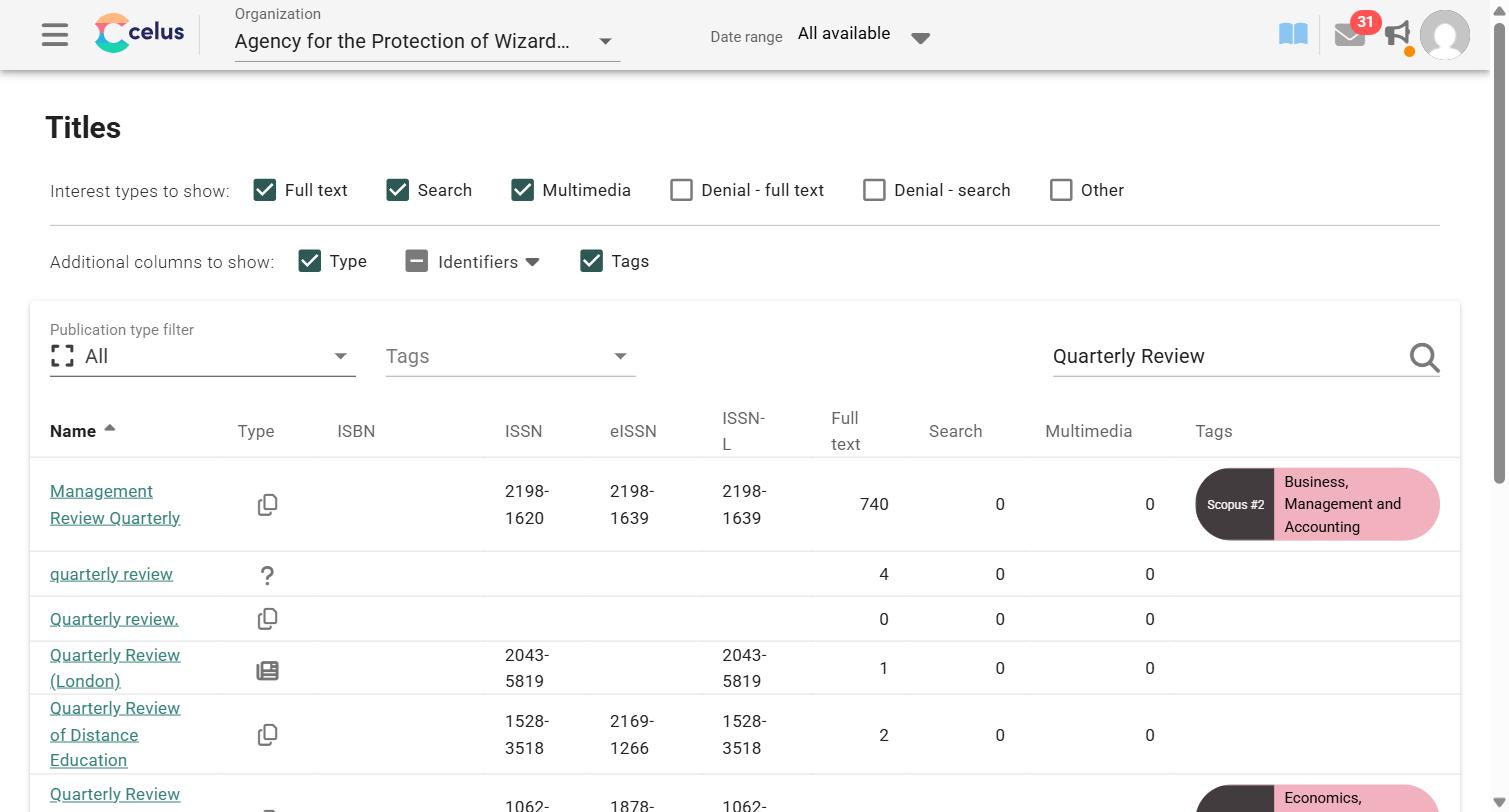
  • Missing identifiers: Some records arrive with no identifiers at all (like the lowercase quarterly review record in the screenshot below), so there is nothing to match them to the right journal.

How should I interpret the statistics?

When you see multiple listings for the same journal, these are duplicate records of the same overarching title.

To understand the true total usage of that journal across your institution, add up the usage of all the overlapping records. Treat them as fragments of one publication rather than as separate publications. The good news: CELUS can do the adding up for you (see step 2 below).

Managing Duplicates: Best Practices

1. Find all variations of the title

To make sure you catch every variation of a messy title, widen your search:
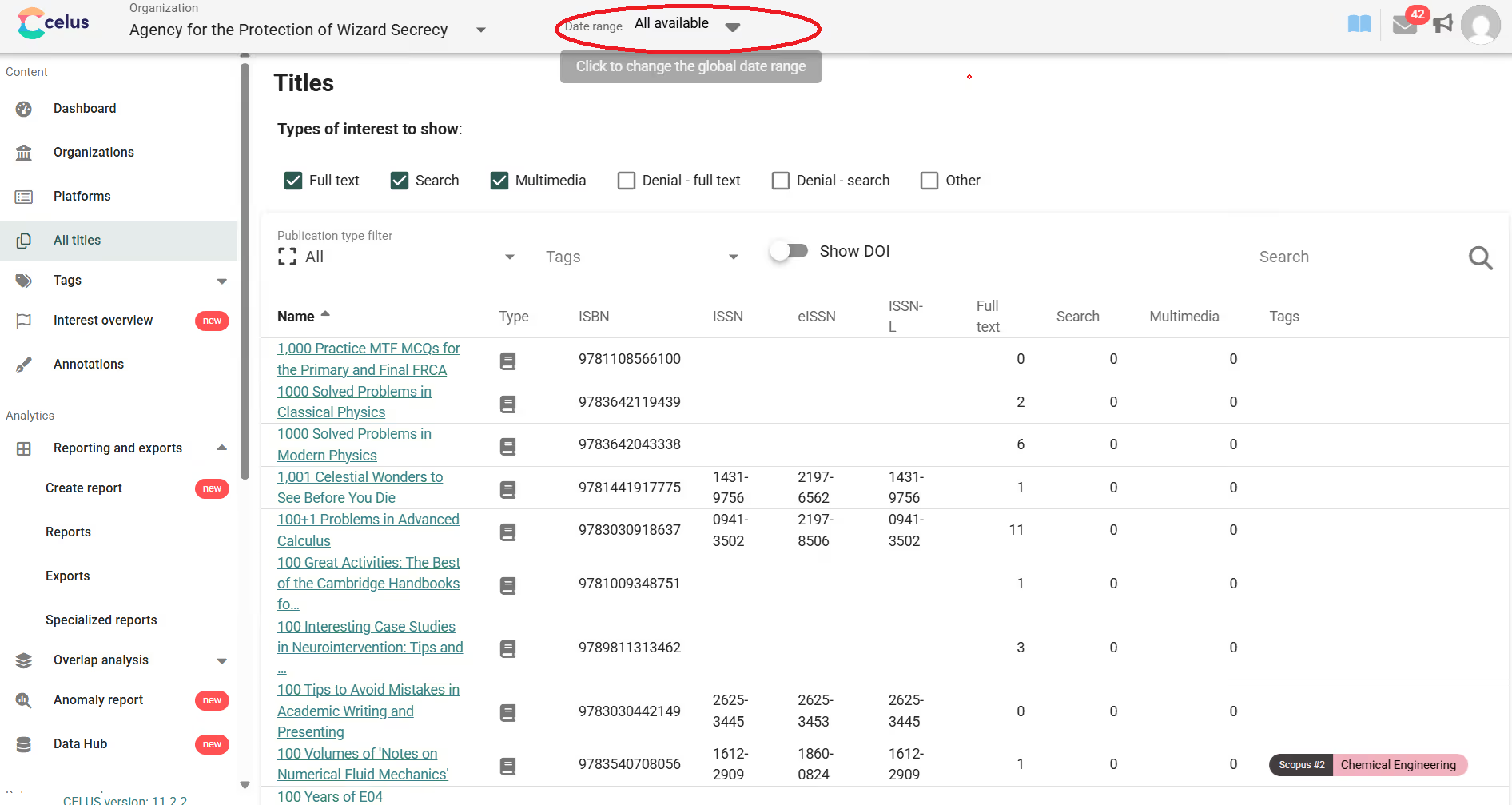
  • In the top menu where you set the Date range, select All available.
  • Go to All titles and search for the core keywords of the journal (for example, Quarterly Review). This reveals historical variations, spelling differences, and differing identifiers associated with that publication.
  • Under Additional columns to show, open Identifiers to show the ISBN, ISSN, eISSN, and ISSN-L columns. Matching identifiers make it much easier to see which records belong to the same journal.
CELUS All titles page showing search results for Quarterly Review with Identifiers columns (ISBN, ISSN, eISSN, ISSN-L), including title variations with missing or different identifiers

2. Merge duplicates in your report with tags

The easiest way to combine the usage of duplicate titles into one clean number is to give them the same tag and let CELUS merge them for you, directly in the report.
  1. Find all the duplicate records of the journal (for example, all variations of Journal of Aesthetics and Art Criticism).
  2. Give all of them the same title tag, for example Journal of Aesthetics and Art Criticism.
  3. Go to Reporting and exports → Create report and choose your report type (for example, COUNTER 5.1 – Title Report).
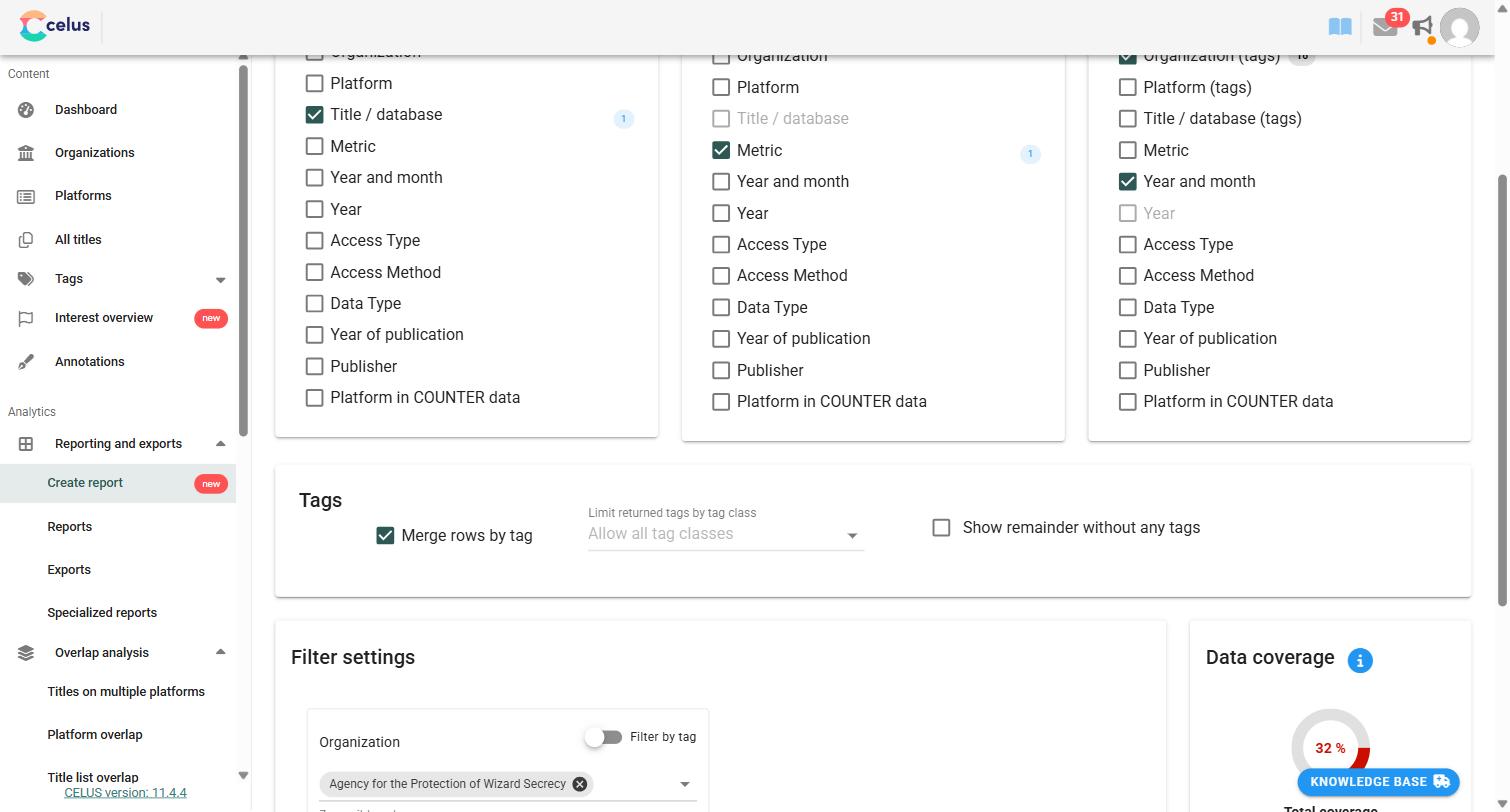
  4. Under Rows, select Title / database.
  5. In the Tags section, check Merge rows by tag. All titles that share a tag are combined into a single row.
  6. Optionally, use Limit returned tags by tag class to merge only by the tags from one tag class, and check Show remainder without any tags to keep the usage of untagged titles in the report as well.
  7. Click Run report.
CELUS Create report screen with Title / database selected as rows and the Merge rows by tag option checked in the Tags section

Pro tip: Save the report once it is set up. Next time, the merged numbers are one click away, and nobody has to add them up in an exported spreadsheet.

Learn how to use Tags in CELUS

Still seeing duplicates?

Not every duplicate comes from publisher metadata. If the same usage seems to appear twice (for example, because of overlapping SUSHI credentials, a COUNTER 5 to 5.1 transition, or a manual upload covering months that were already harvested), shoot us a message at ask@celus.net and we will take a look.


Related Articles

Featured Articles

No items found.