For an easy start to connect the CELUS Data Hub and Power BI, we created ready-to-use templates with prepared interactive visuals. If you don’t have your CELUS Data Hub activated, contact us at ask@celus.net to have it switched on.
To connect your data from CELUS Data Hub to Power BI, you need the Power BI Desktop and ClickHouse ODBC driver on your computer. The ODBC driver is available for free on the following page: Releases · ClickHouse/clickhouse-odbc.
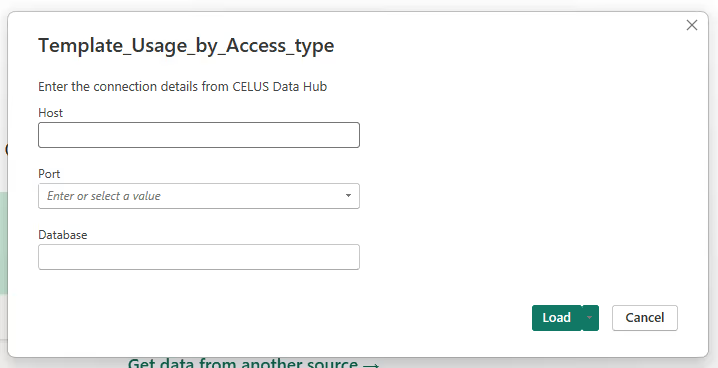
Choose your template from the marketplace below and download it to your computer. Open the downloaded file, it automatically opens in Power BI desktop and prompts you to enter your Data Hub credentials
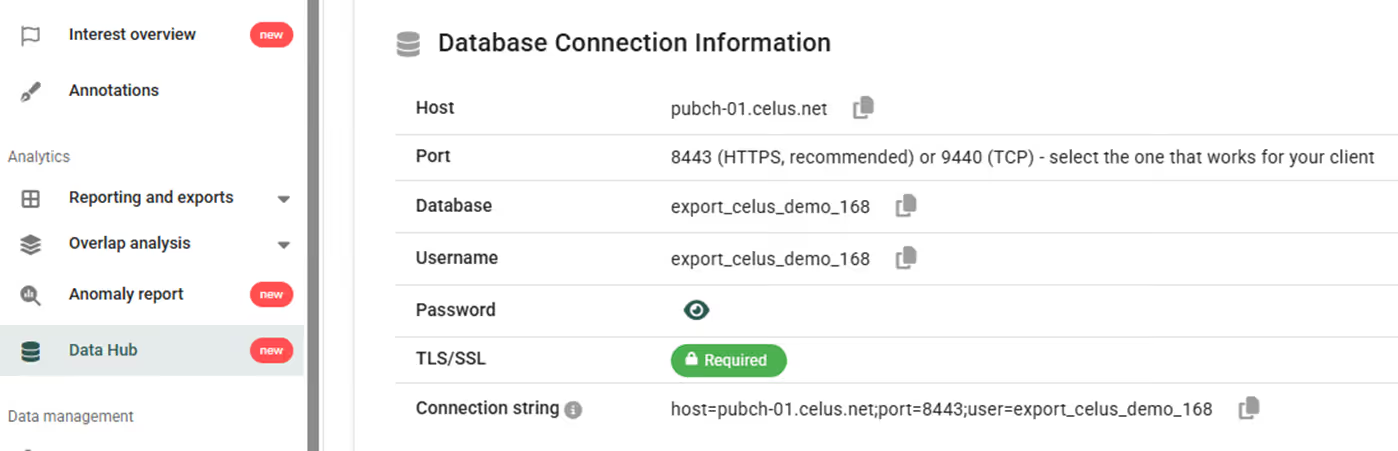
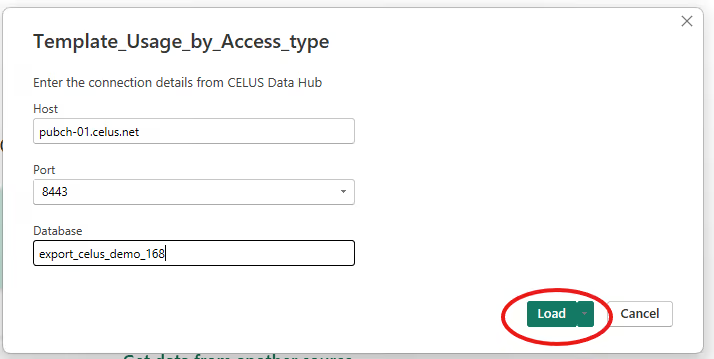
You will find the Data Hub connection details in the CELUS menu Analytics / Data Hub.
Enter the connection details into the dialog and click on Load.
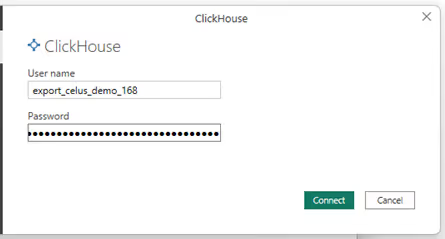
At the first connection, you will be prompted to enter your User name and Password. Afterwards, these parameters will be stored within Power BI.
It will take a few seconds to load and then you will have an interactive visualization at your disposal. Feel free to adjust the parameters and save the result.