1. Log-in into the Clarivate Developer Portal: https://developer.clarivate.com/
2. Click on "Applications" in the header menu
3. Click on "Register new application"
4. Fill in the form
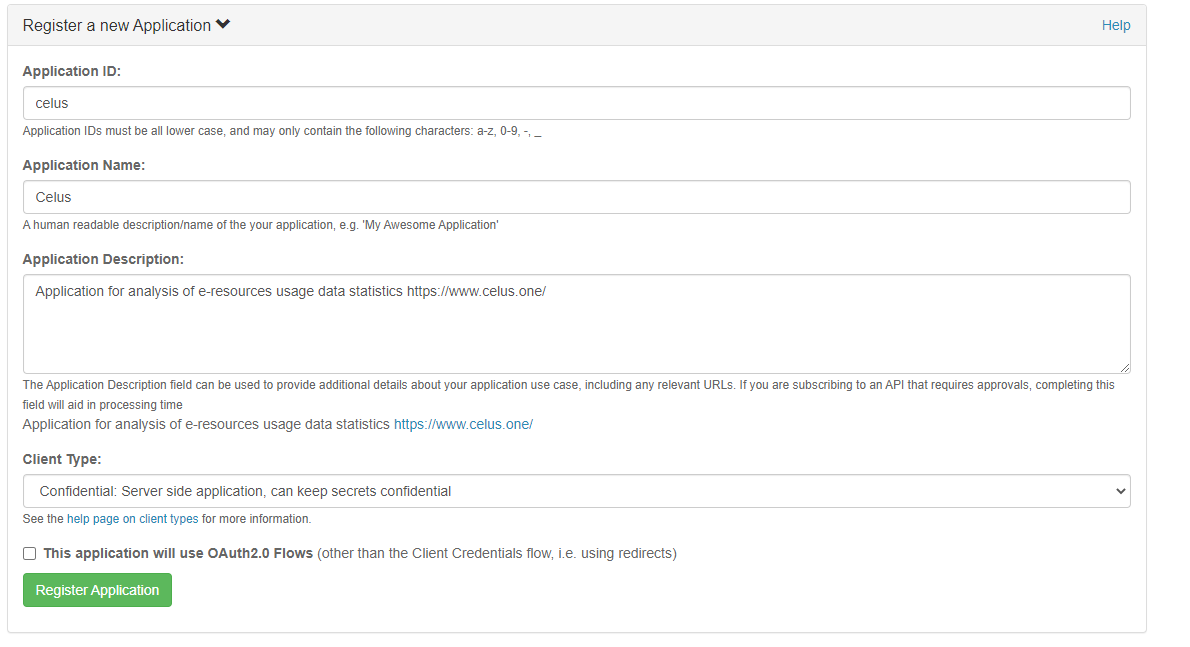
5. Click on "Register Application"
6. Go to API in the header menu
7. Choose "Web of Science SUSHI API" and click on it
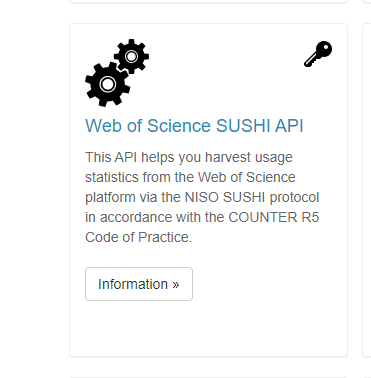
8. Scroll down to "Applications" and click on "Subscribe" next to CELUS

9. In the next dialog, click on "Subscribe"
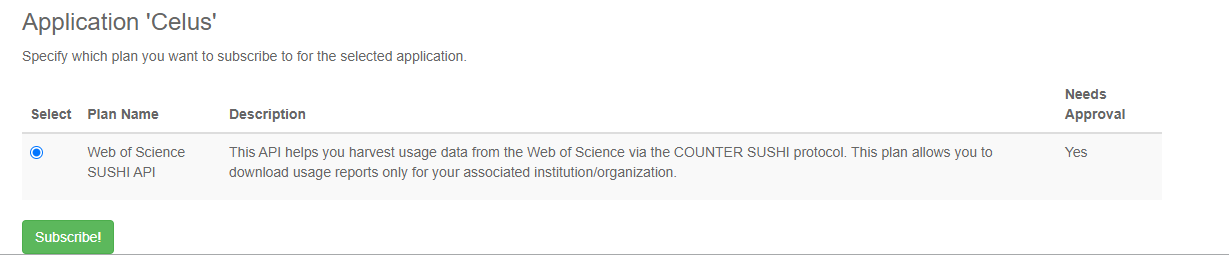
10. It will take some time for the request to be approved by Clarivate. Once the request is approved, you will see the API key on the same screen.

11. Clicking on the little eye you can see the API key. Copy this and paste into your CELUS
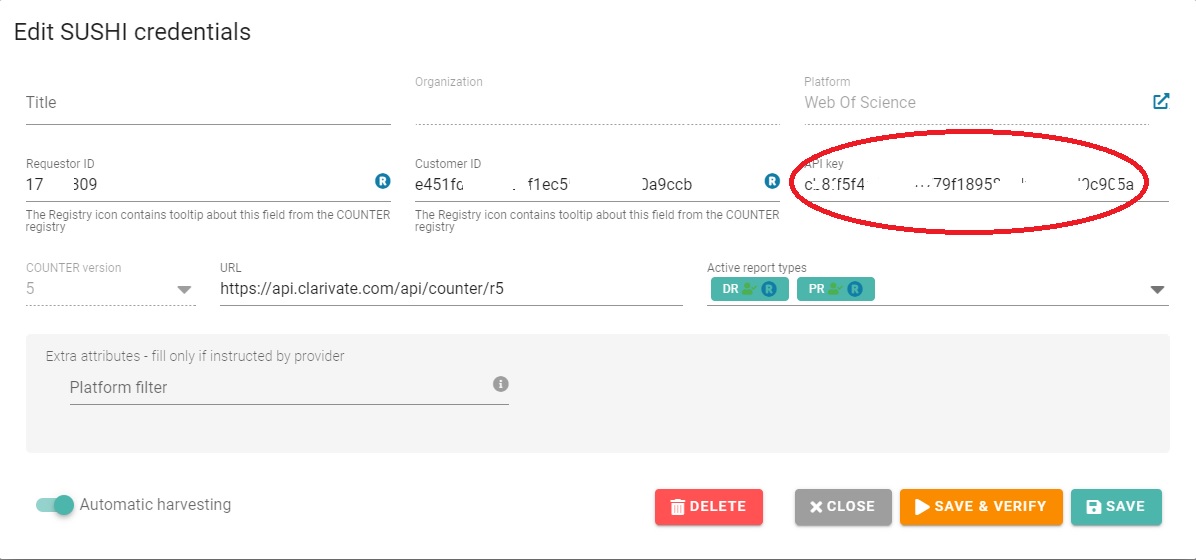
12. Fill-in also your Requestor ID and Customer ID that you obtained from Web of Science via e-mail
13. Click on Save and Verify and verify the harvest