Analytics
The Data coverage widget at the page for Report creation shows the completeness of your data for the selected period and platform(s). It shows how many months from a possible maximum are available for the selected report(s) and applied filters.
The Data coverage widget is live and recalculates the coverage on the fly, ensuring accurate reporting based on the selected report parameters.
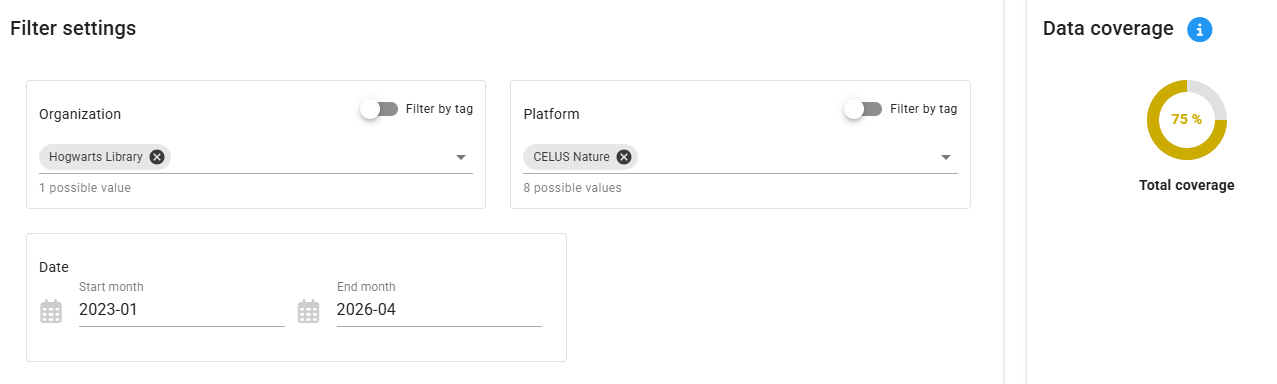
For more information on how the percentage is calculated, please refer to this page: Data coverage overview.
Data coverage less than 100% indicates incomplete data. To improve the data coverage, click on the widget and CELUS will help you to investigate and harvest the missing data.
From Y2025, data coverage in COUNTER R.0 is gradually decreasing as platforms transition to the COUNTER R5.1 standard.
To accommodate the transitions and improve your data coverage, you need to:

In this set up, both R5.0 and R5.1 Title Reports are included and "merged" with the preference of R5.1 (marked green). That means that the report is calculated primarily from TR R5.1, and as a fallback TR R5 report is used.
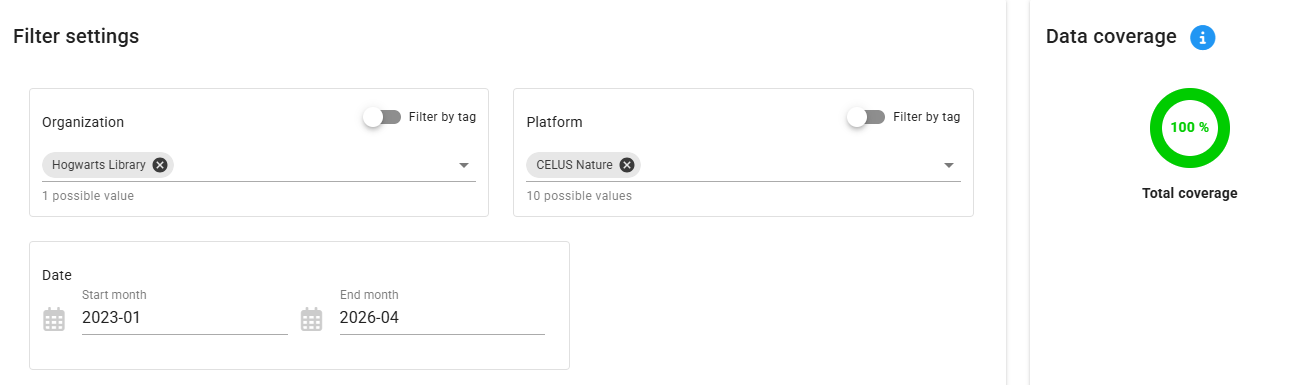
You can find a lot of additional information to R5.0 -> R5.1 transition in our webinar series Talk Usage Stats: Moving from COUNTER R5 to R5.1.