Analytics
This tool compares a list of titles in a CSV file with the titles that already have usage in CELUS.
To use the tool, you simply upload your CSV file and the tool will process it automatically. Once it's done, you can download an annotated copy of your file. It shows which titles in your list match titles in CELUS, which platforms they appear on, and when usage was first and last recorded.
This helps you keep track of which titles already have usage in CELUS and which ones you may still need to acquire.
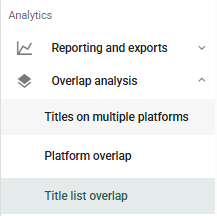
1. In the left side menu, under Overlap analysis, click Title list overlap.
2. Click Upload file for annotation.

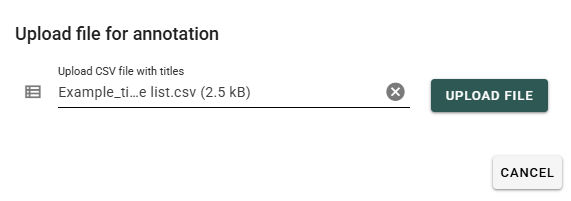
3. In the dialog, click Upload CSV file with titles, choose a file from your computer and click Upload file. The file must be a UTF-8 encoded CSV with at least one recognised identifier column (see how to format the file).
4. Processing starts automatically. When it finishes, click the download icon in the Annotated file column. The Matched rows column shows how many rows of your list were matched.

5. The annotated file keeps all your original columns and adds new ones after them:

Note: Titles are matched by identifiers only: ISSN, eISSN, ISBN, DOI, proprietary ID or the CELUS title ID. The title name is ignored. An ISSN or eISSN in your list matches any title whose ISSN, eISSN or ISSN-L has that value. Each identifier is looked up separately, so one row can match more than one title.