Analytics
Specialized reports are synthetic reports for specific use cases, which go beyond the normal reporting capabilities of CELUS. Usually, these are used to facilitate reporting to a particular funding or a regulatory body or agency.
Would you like to suggest a specialized report to be implemented in CELUS? Let us know at ask@celus.net!
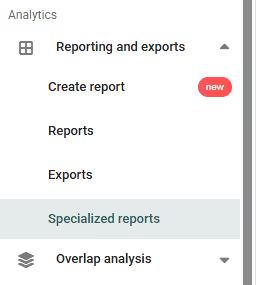
You can access the specialized reports by clicking on “Reporting and exports” → “Specialized reports” in the left-side menu:
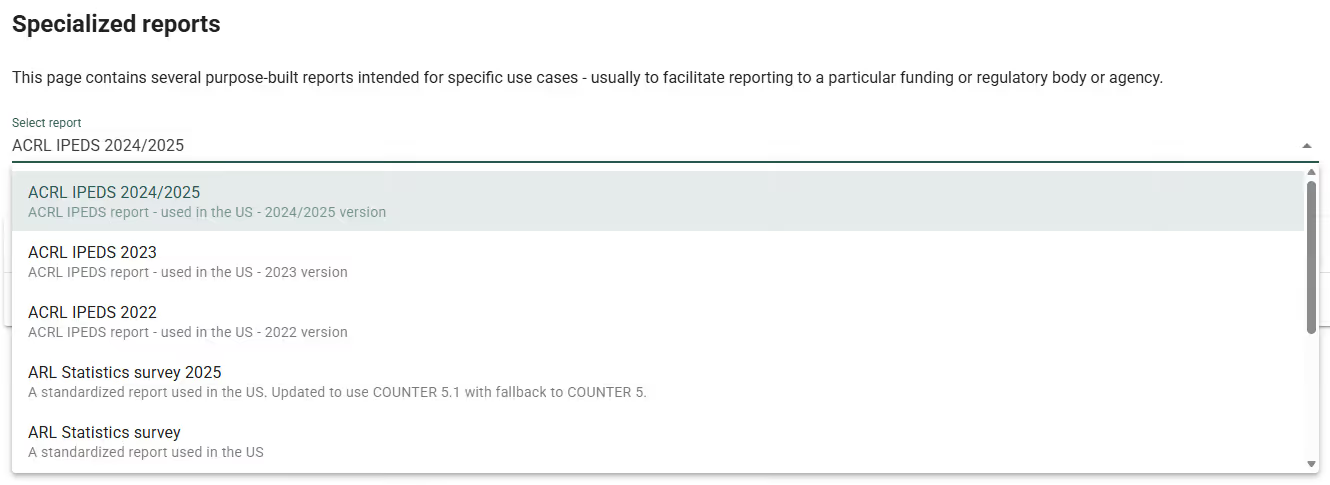
Under “Select report”, you can choose a specific report from the drop-down menu:
After choosing the correct report, you can RUN REPORT and/or EXPORT it by clicking on the buttons on the right.
Looking for help with the ACRL IPEDS report? Click here
Looking for help with the ARL Statistics survey? Click here
Looking for help with the CAUL report? Click here
Looking for help with the REBIUN report? Click here